


Dear Pippen Community,
We’re excited to share Pippen’s new encounter experience: a cleaner, easier-to-navigate workspace that brings AI scribing, document upload, clinical context, and Chat with Pippen into one place.
You can now type information, dictate by voice, upload documents, or start an AI scribe recording — all from the same encounter page.
Watch the full 9-minute walkthrough video below to see the new experience in action.
What’s New
- With the new Context feature, you can add notes (such as your MOA notes or your jotted down notes (e.g. sensitive exam findings)) and upload documents, (such as hospital discharge summary, referral package, previous medical records, and CPP). With this feature, Pippen can use the context to generate the note without you having to verbalize everything.
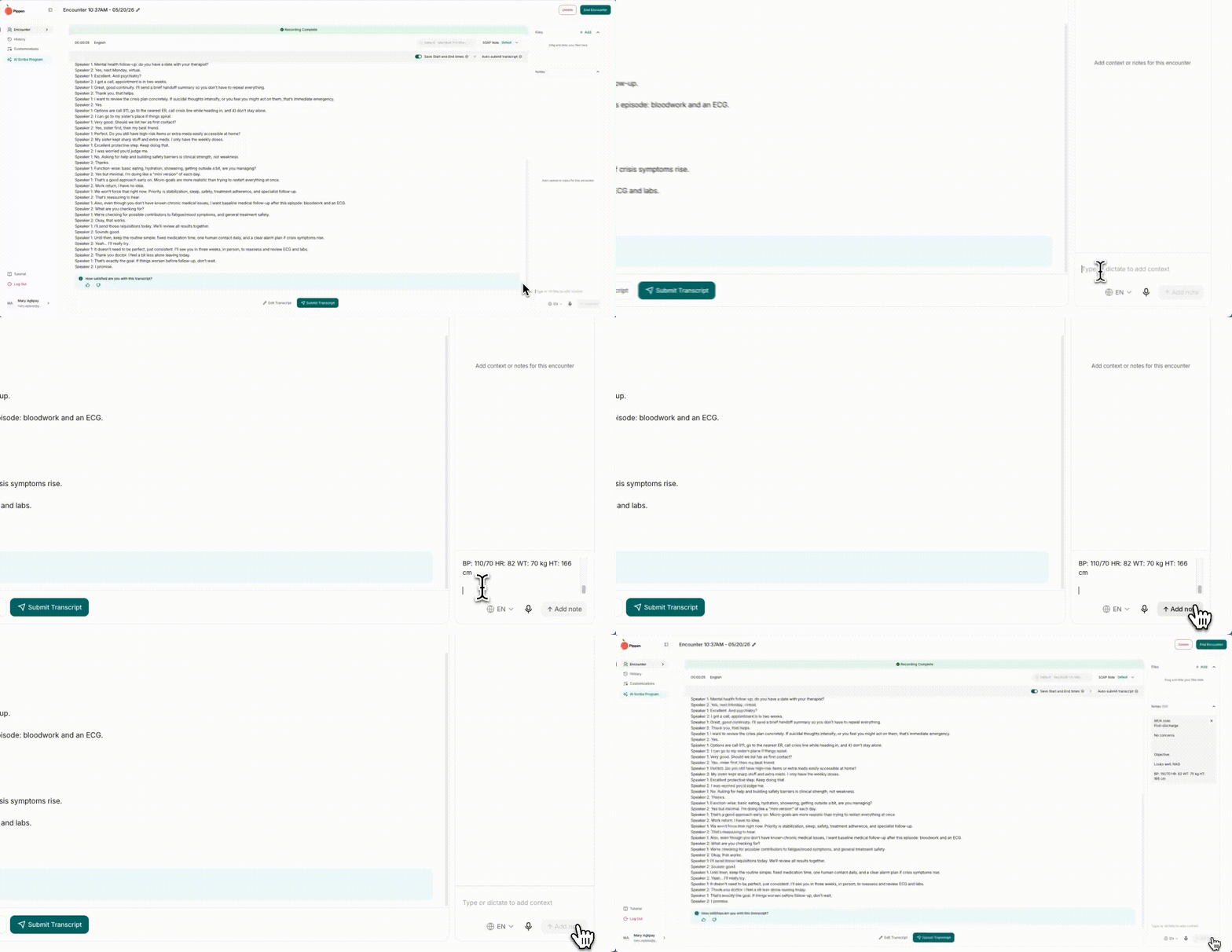
- Pippen now allows you to switch the template at any time during the encounter. There is also a live encounter timer and easier microphone controls.
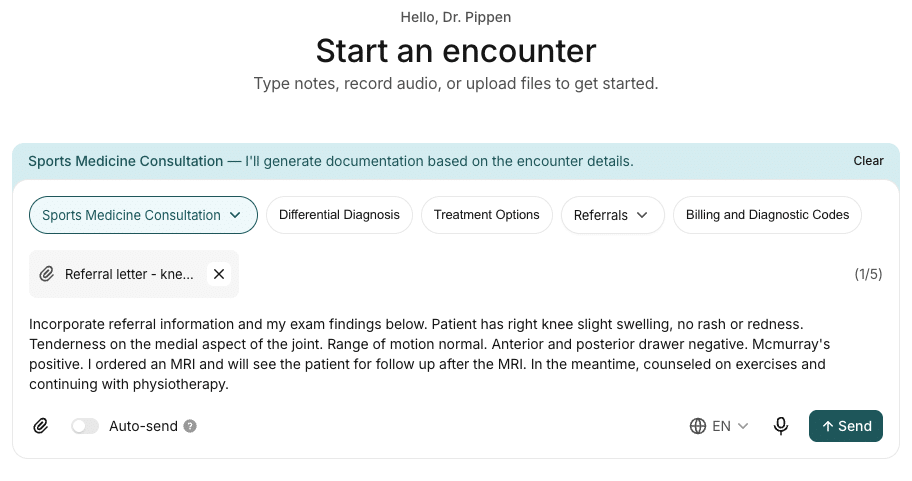
- Chat with Pippen now brings key actions into one workspace, including the ability to apply a different template (such as our built-in patient summary), referral letters, differential diagnosis, treatment options, and billing codes. If you toggle on ‘Auto-send,’ you can run actions as soon as they are selected.
Building for you
Combining the conversation, notes, documents, and clinical instructions in one place is just the beginning. We’re continuing to build more end-to-end automations across your entire workflow.
Thank you for being our partners in building Pippen for primary care! As always, we love feedback and we are excited to keep building with you.
Our next webinar will take place tomorrow, May 22 at 12 pm EST. We will go over how to streamline your visits using 3 different scenarios: New patient intakes, referrals, and post-hospitalization. There will be lots of time for Q&A and share tips and tricks on making the most out of Pippen. Register here.
Best regards,
AJ and Mary
Co-Founders, Pippen AI
Schedule a one-on-one demo here.

 I 100 percent recommend this to any family physician. I didn't realize how cumbersome charting had become until Pippen eliminated it as a burden for me. My days are immeasurably more enjoyable and I am able to deliver better care to my patients. Pippen takes my feedback to constantly improve my notes. Because of Pippen my workdays are a breeze whereas before they were a tsunami of paperwork