Définir des modèles personnalisés dans Pippen : un guide étape par étape

Les personnalisations de Pippen facilitent la création de modèles de votre choix — que ce soit pour les visites vidéo, le counseling, les visites de l’enfant en bonne santé, et plus encore. Dans ce guide, nous verrons comment utiliser Pippen pour configurer vos propres modèles. Avec le forfait Premium de Pippen, vous pouvez ajouter un nombre illimité de modèles pour faciliter votre flux de travail ! L’équipe de Pippen lancera une bibliothèque de modèles entièrement axée sur la médecine familiale à l’hiver/au printemps 2026, mais pour l’instant, des modèles courants sont offerts ici !
Commençons !
- Pour commencer, cliquez sur l’icône « Personnalisations » dans le panneau de gauche.
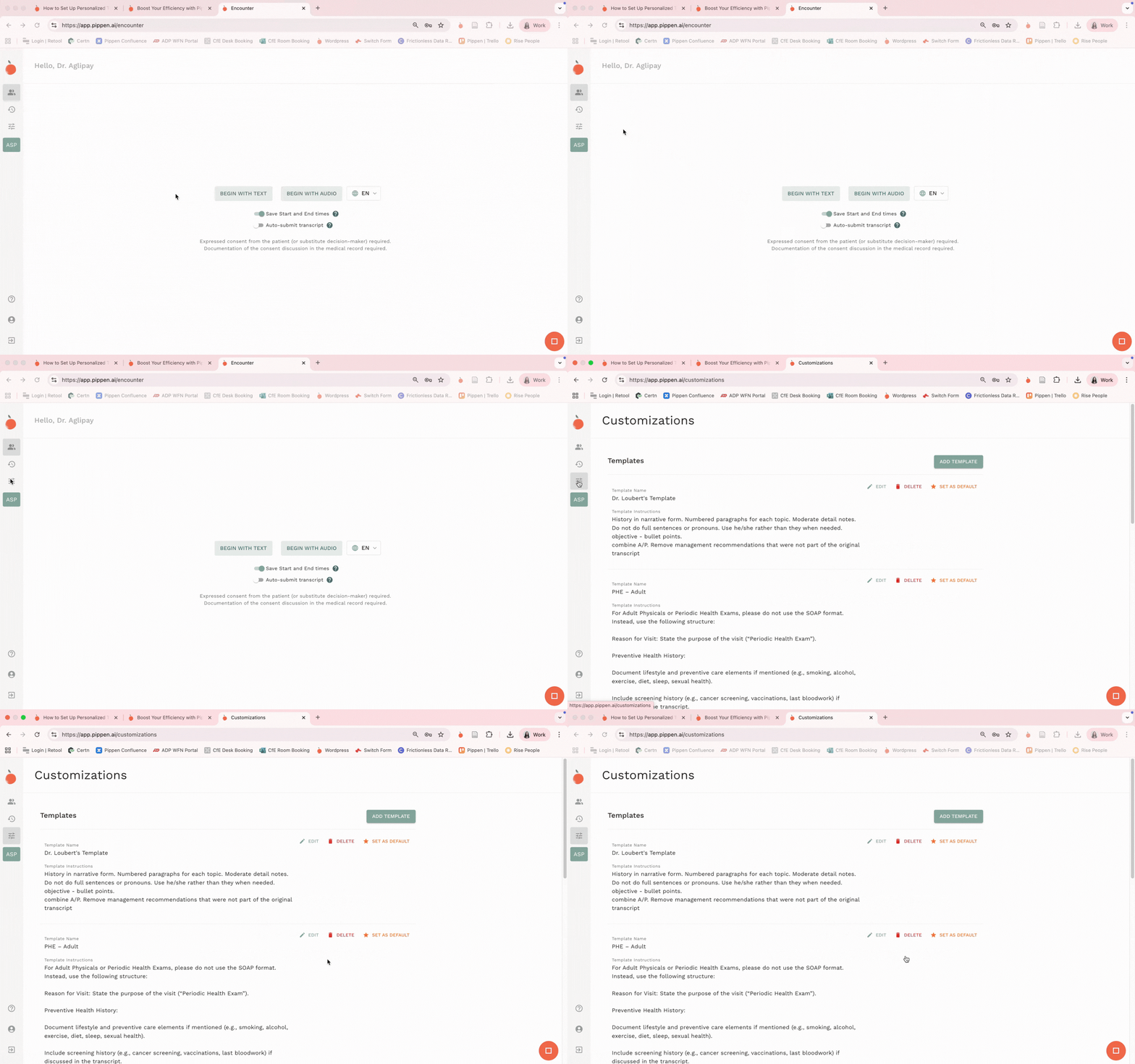
- Cliquez sur le bouton « Ajouter un modèle » pour commencer à ajouter votre modèle préféré.
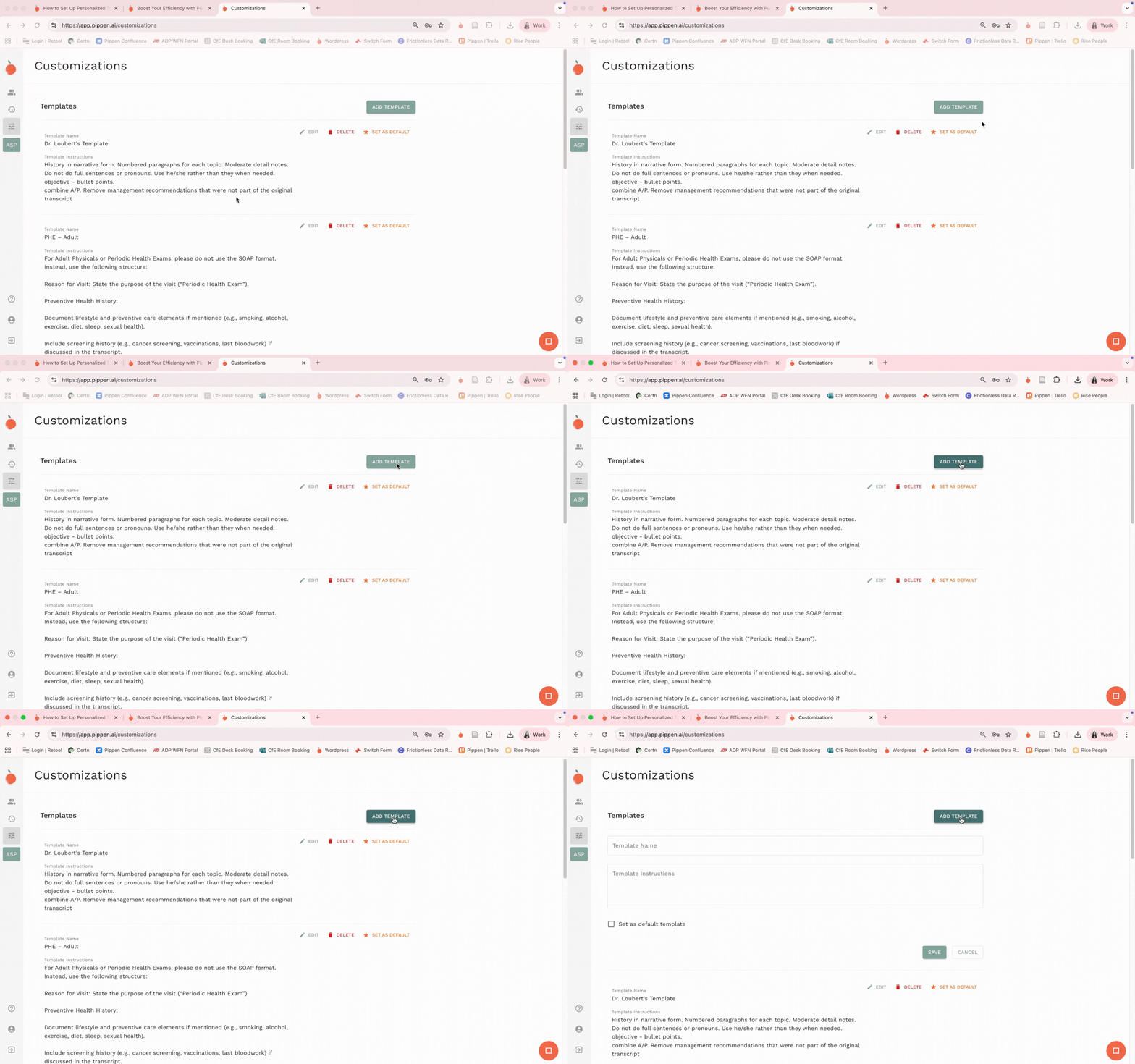
- Saisissez le nom du modèle que vous souhaitez créer. Nous utiliserons « Visite de counseling » comme exemple, et le taperons sous la section « Nom du modèle ».
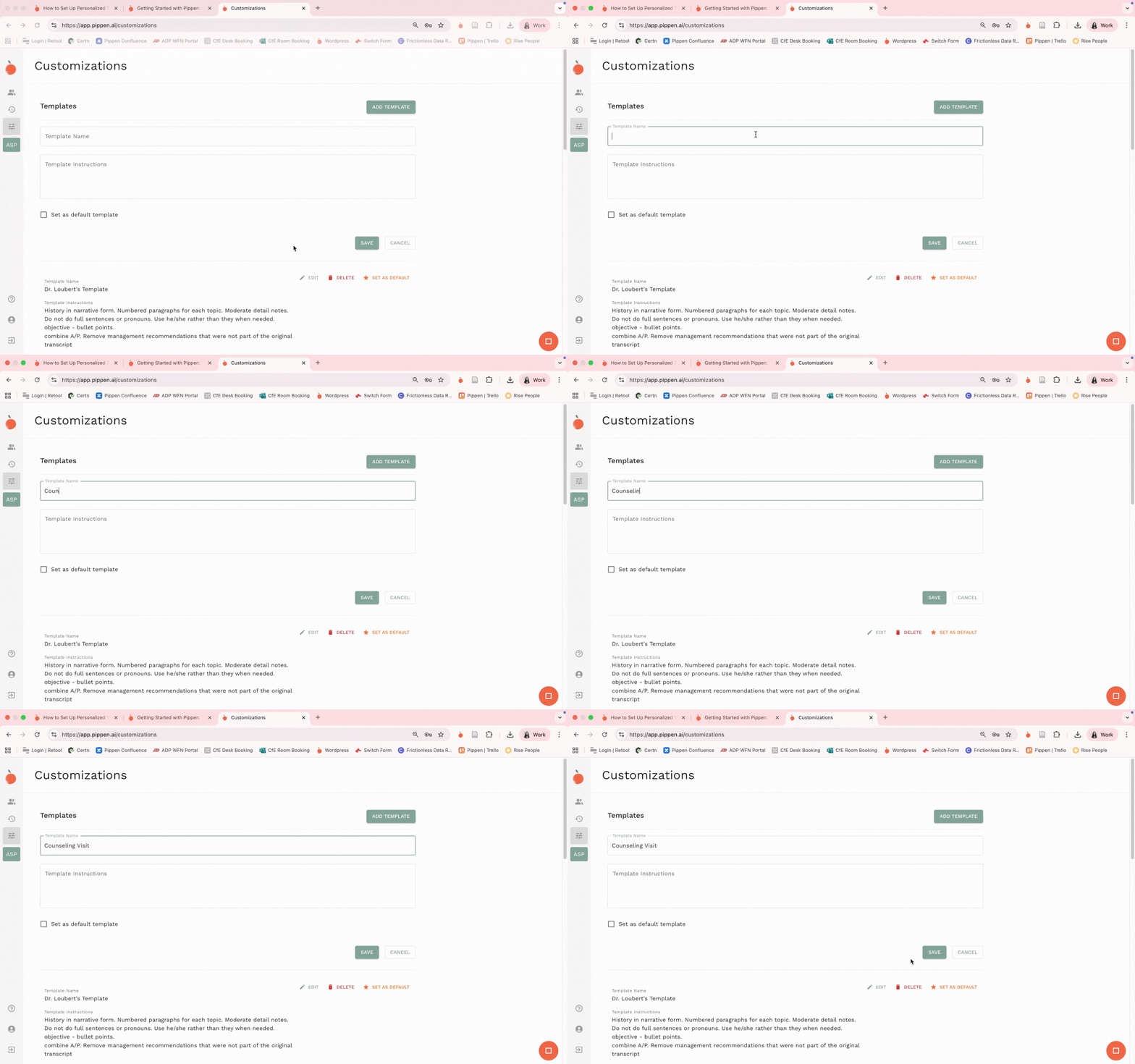
- Dans la section « Consignes du modèle », nous pouvons soit écrire des consignes manuelles sur l’apparence souhaitée de notre documentation, soit choisir de copier-coller l’un des modèles des modèles courants de Pippen. Après avoir rempli « Nom du modèle » et « Consignes du modèle », vous pouvez enregistrer en cliquant sur « Enregistrer ».
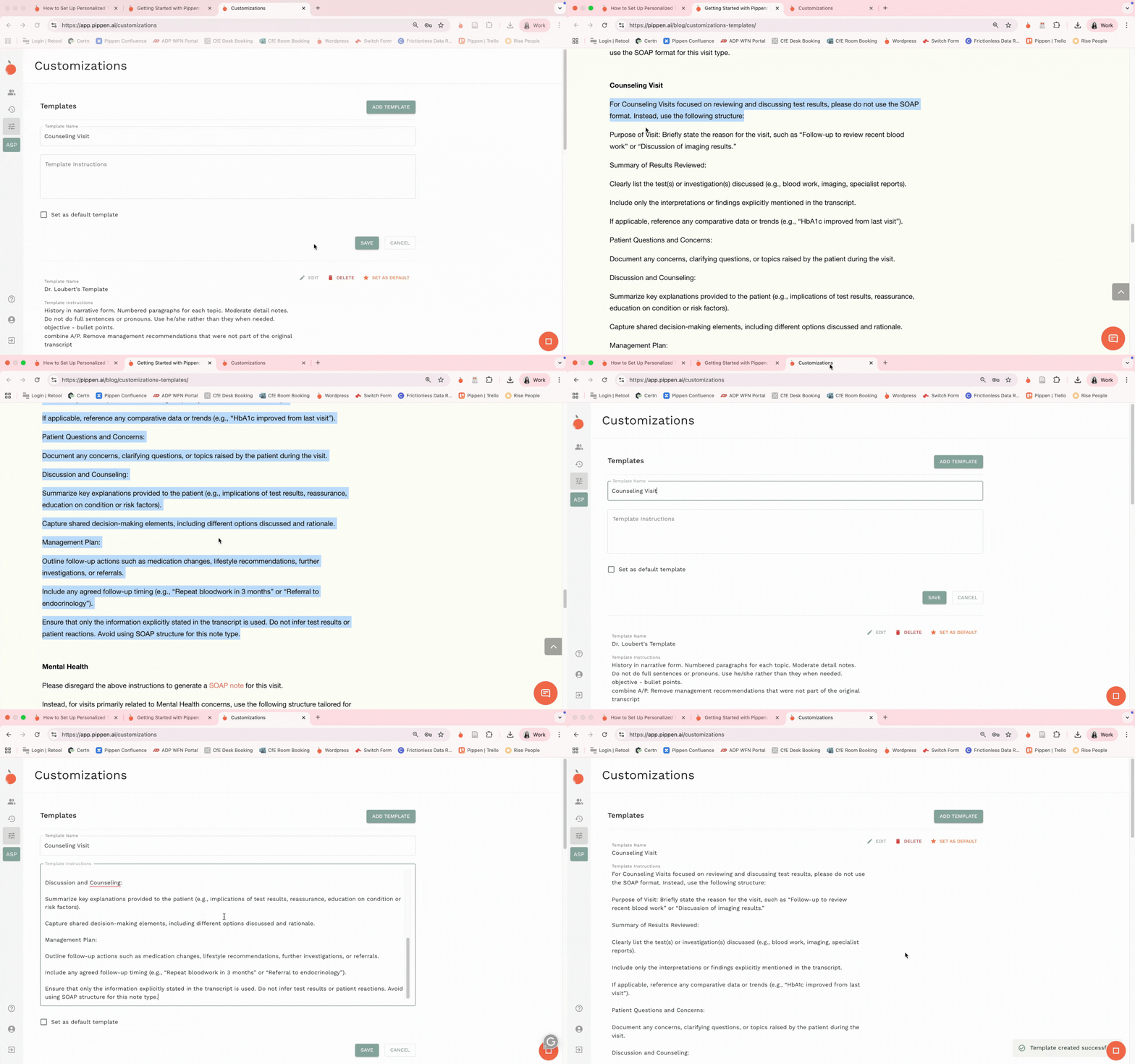
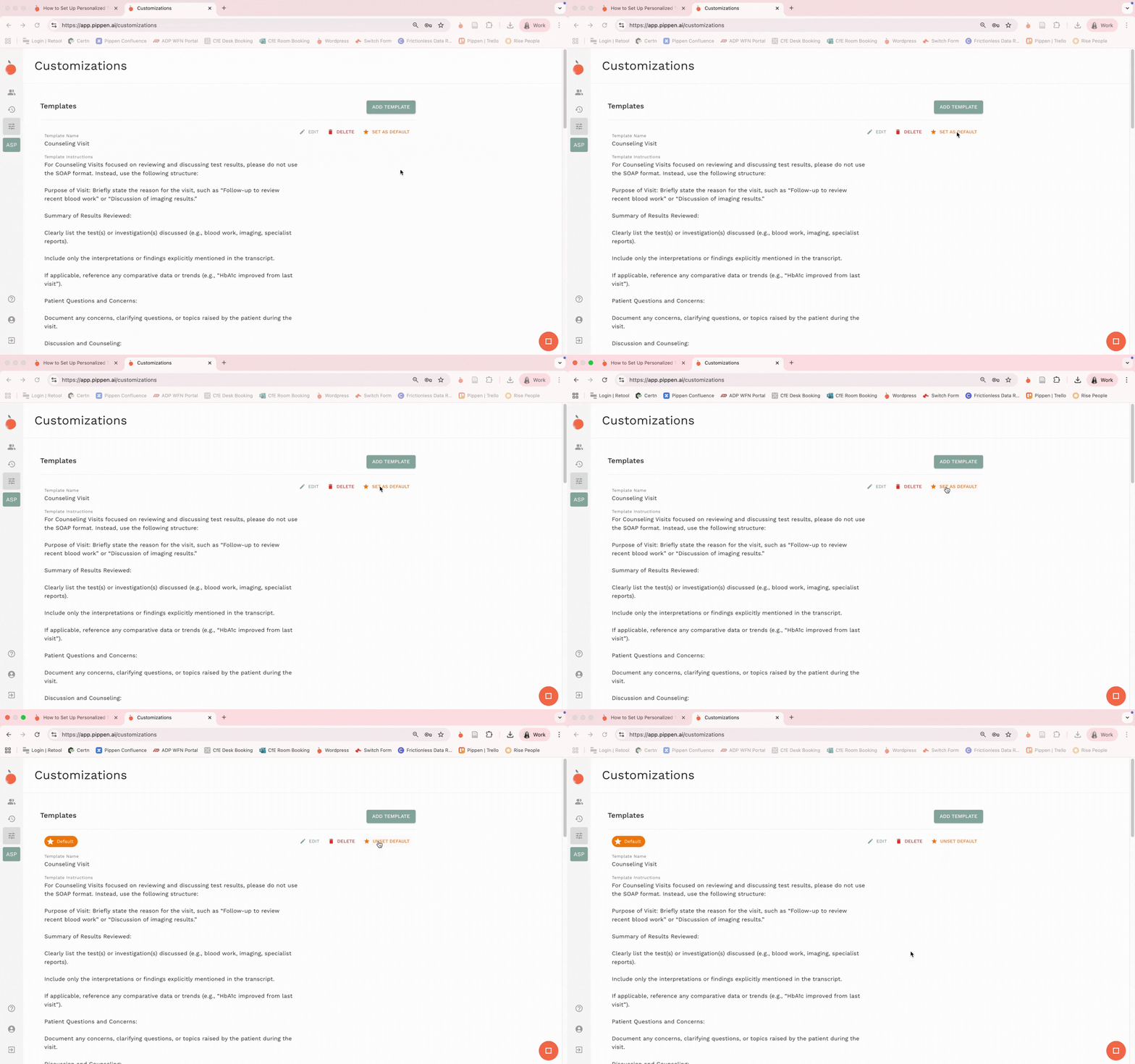
- Si ce modèle représente le type de documentation que vous utilisez le plus souvent, cliquez sur « Définir par défaut ». Cela signifie que la prochaine fois que vous commencerez et soumettrez une consultation audio, ce modèle sera utilisé par défaut (nul besoin de sélectionner dans votre liste de modèles).
- Pour utiliser ce modèle, commencez simplement une consultation audio. Lorsque vous avez terminé la consultation audio, sélectionnez « Documentation » pour voir votre liste de modèles enregistrés — sélectionnez simplement celui de votre choix. Si vous cliquez sur « Soumettre », votre modèle par défaut sera appliqué.
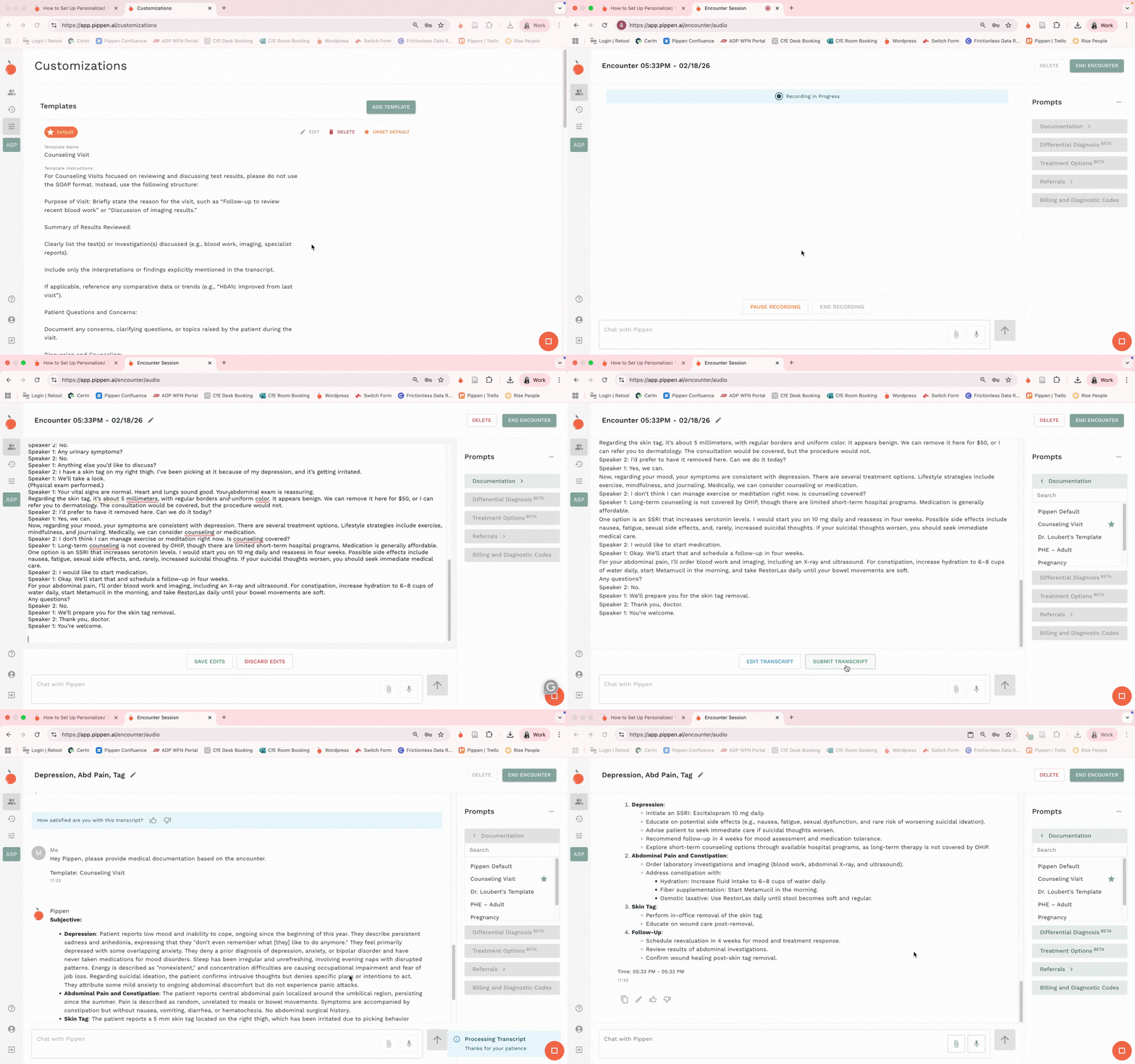
Et voilà ! Une façon de personnaliser facilement votre documentation avec Pippen. Chaque clinicien mérite de voir ses notes comme il le souhaite — Pippen vous aide à faire exactement cela !
Vos commentaires façonnent l’avenir
Nous nous engageons à une amélioration continue, et votre contribution joue un rôle crucial dans l’évolution de Pippen. Si vous avez des réflexions, des questions ou des suggestions, nous serions ravis de vous entendre.
📩 Partagez vos commentaires ici.
Merci de faire confiance à Pippen dans le cadre de votre pratique. Nous avons hâte de vous accompagner avec une expérience encore meilleure.
Essayez le nouveau Pippen dès aujourd’hui !
Pippen génère une documentation provisoire pour aider les cliniciens. Tout le contenu doit être révisé et approuvé par le médecin avant de faire partie du dossier du patient.
Vous voulez en parler à l’équipe ? Cliquez ici.
