Installer l'application Pippen Companion sur Windows

L’application Pippen Companion vous permet d’utiliser Pippen sans jamais quitter l’interface de votre DME, ce qui signifie moins de clics, moins de navigation et moins de va-et-vient. Voici les étapes ci-dessous pour l’installer et la configurer correctement.
(Vous utilisez un Mac ? Consultez le guide d’installation pour Mac ici)
Étape 1 : Téléchargez l’application
Cliquez sur le lien ici pour télécharger l’application pour Windows
Étape 2 : Lancez l’installateur
Une fois le téléchargement terminé, double-cliquez sur le fichier pour démarrer l’installation.
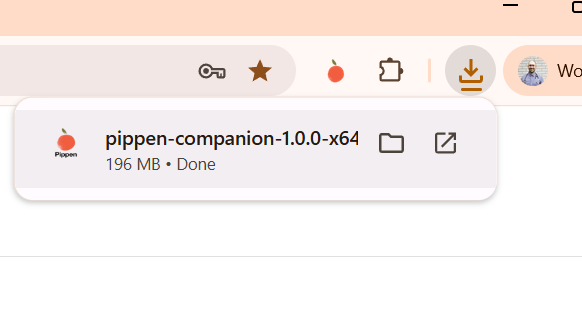
L’installation s’exécutera automatiquement en arrière-plan.
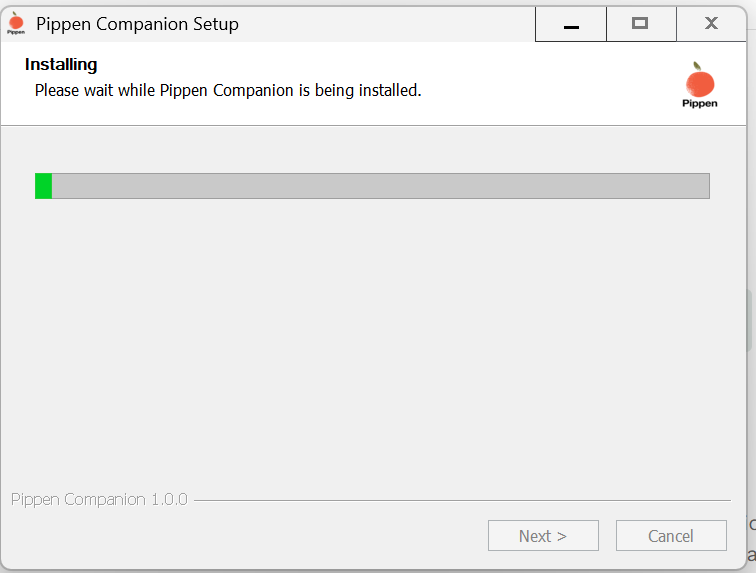
Étape 3 : Terminez l’installation
Lorsque l’installation se termine, cliquez sur Terminer.
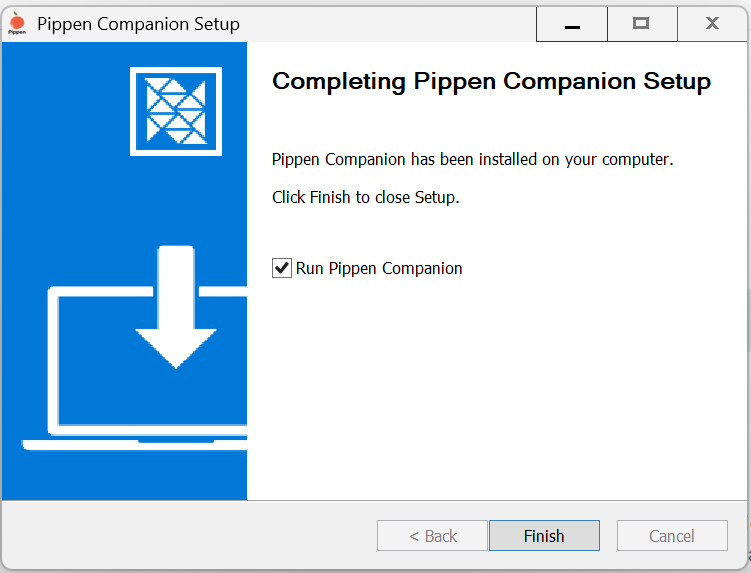
L’application Pippen Companion est maintenant installée sur votre ordinateur.
Étape 4 : Connectez-vous
Ouvrez l’application Pippen Companion.
Connectez-vous à l’aide de votre courriel et mot de passe Pippen.
Étape 5 : Regardez la démo
Assurez-vous de regarder les vidéos de démonstration pour apprendre à utiliser efficacement l’application Companion.
Si vous avez des questions ou besoin d’aide, veuillez communiquer avec nous à
team@pippen.com
Merci d’avoir choisi Pippen !
Cordialement,
L’équipe Pippen